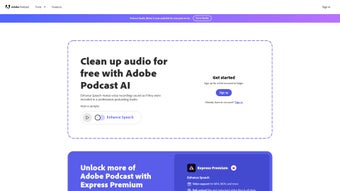

Download Adobe Speech Enhancer – AI‑Powered Audio Enhancement Tool for Podcasts, Webinars & Voice‑overs
Introduction
Adobe Speech Enhancer is a cloud‑based, AI‑driven audio‑clean‑up solution that targets spoken‑word recordings. Whether you are a podcaster looking to cut background hiss, a teacher preparing lecture recordings, or a marketer who needs crisp voice‑overs for video ads, this tool promises studio‑grade results without the steep learning curve of traditional digital audio workstations. By analysing each waveform in real time, the proprietary deep‑learning engine automatically suppresses unwanted noise, balances vocal frequencies, and normalises loudness to broadcast standards.
Because the processing happens entirely in the browser, there is no need to install heavyweight software, and users can start enhancing audio from any device that runs a modern browser. The subscription model includes continuous AI updates, ensuring the engine stays current with the latest research in noise‑reduction and speech intelligibility. While the service shines with clear, well‑recorded source material, it still delivers noticeable improvements on modest recordings, making it an accessible first‑pass filter for creators of all skill levels.
Security is baked in: files are encrypted during transfer, processed in a transient cloud environment, and automatically deleted after 24 hours, satisfying both privacy‑conscious users and enterprise compliance requirements. In short, Adobe Speech Enhancer bridges the gap between raw, unprocessed audio and polished, listener‑ready content, saving creators time, money, and the frustration of manual editing.
Key Features & Benefits
- AI Noise Reduction: Advanced deep‑learning models isolate and suppress hiss, hum, wind, and ambient chatter while preserving the natural tonal quality of the speaker’s voice.
- Dynamic Voice Equalisation: Automatic frequency balancing enhances clarity, making consonants crisp and vowels smooth for a more natural listening experience.
- One‑Click Studio Mode: A single button applies a curated chain of filters that mimics professional studio processing, ideal for users who want instant results.
- Real‑Time Preview: Listen to a 10‑second sample of the enhanced audio before committing to a full export, allowing quick adjustments.
- Multi‑Format Support: Accepts WAV, MP3, AAC, AIFF, and FLAC; output can retain the original format or convert to a more compressed option.
- Batch Processing: Upload up to 20 files simultaneously; the cloud engine processes each in parallel, dramatically reducing turnaround time for series‑based content.
- Secure Cloud Storage: TLS 1.3 encryption protects uploads, and files are purged from Adobe’s servers within 24 hours of processing.
- Continuous AI Updates: Subscribers receive automatic improvements to the noise‑reduction model and new preset options without extra cost.
- Cross‑Platform Accessibility: Works on any modern browser, meaning Windows, macOS, Linux, iOS, and Android users can enhance audio without installing additional software.
- Integrated Analytics Dashboard: After processing, users receive a detailed report showing noise‑reduction percentages, frequency shifts, and file‑size changes, providing transparency and data for future recordings.
Each of these features is designed to address a specific pain point in the audio‑production workflow. For instance, the AI Noise Reduction module not only removes low‑level background sounds but also intelligently differentiates between speech and non‑speech elements, preventing the “muffled” effect that many generic filters cause. The Dynamic Voice Equalisation adapts to the speaker’s unique vocal range, delivering a balanced sound that works equally well for deep‑voiced narrators and higher‑pitched presenters. Batch Processing is a game‑changer for podcast networks that release multiple episodes at once, while the Integrated Analytics give creators measurable insights to improve recording practices over time. Combined, these capabilities make Adobe Speech Enhancer a comprehensive, all‑in‑one solution that reduces the need for secondary editing tools.
Installation, Compatibility & How to Use
Adobe Speech Enhancer is a web‑based service, so there is no traditional installation required. The application runs on any device that supports a modern browser (Chrome, Edge, Safari, Firefox) and a stable internet connection. Supported operating systems include Windows 10/11, macOS 10.15+, Linux distributions with recent browsers, iOS 13+, and Android 9+.
Step‑by‑Step Guide
- Create or log in to an Adobe account: Visit the Adobe portal, register with an email address, and select the Speech Enhancer subscription tier that matches your usage pattern (monthly or annual).
- Navigate to the Speech Enhancer dashboard: After signing in, click the “Speech Enhancer” tile. The interface presents a clean upload zone, preset selector, and a preview player.
- Upload your audio file(s): Drag and drop up to 20 files (max 500 MB each) or use the “Browse” button. The system validates format and sample rate before proceeding.
- Choose a processing mode: Options include “Standard” (balanced), “Broadcast” (maximum loudness and noise removal), and “Custom” (fine‑tune parameters such as reduction strength, EQ curve, and loudness target).
- Preview the enhanced segment: Click “Play Preview” to listen to a 10‑second excerpt. If the result needs adjustment, toggle the sliders in Custom mode and re‑preview.
- Start the processing job: Hit “Process & Download.” Adobe’s cloud renders the final file, then prompts you to save it locally or export to cloud storage services like Dropbox or Google Drive.
- Review the analytics report: Once the download is complete, a pop‑up displays noise‑reduction percentages, frequency adjustments, and final file size, allowing you to compare before‑and‑after metrics.
- Optional post‑processing: For users who need additional polishing, the downloaded file can be imported into any DAW for final compression, mastering, or adding background music.
Best‑practice tips: Record in a quiet environment, use a cardioid condenser microphone, and keep the sample rate at 44.1 kHz or higher. Clean source material maximises the AI’s ability to differentiate speech from noise, resulting in fewer artifacts. Additionally, avoid excessive clipping during recording; the AI can reduce background hiss but cannot fully repair severely distorted waveforms. By following these guidelines, you’ll extract the highest possible quality from Adobe Speech Enhancer and reduce the need for further manual edits.
Pros, Cons & Frequently Asked Questions
Pros
- Instant, one‑click studio‑grade enhancement saves hours of manual editing.
- AI model receives continuous improvements via automatic cloud updates.
- No software download required; works on any modern browser across devices.
- Secure, encrypted processing with automatic file deletion after 24 hours.
- Batch processing capability streamlines workflow for podcasters and content networks.
- Detailed analytics provide transparent insight into each enhancement.
Cons
- Requires a stable internet connection; offline processing is not possible.
- Subscription pricing may be prohibitive for occasional hobbyists.
- Cannot replace full‑featured DAWs for multitrack mixing or advanced mastering.
- Performance is dependent on the quality of the original recording.
- Large batch jobs may experience longer queue times during peak usage periods.
Frequently Asked Questions
Is Adobe Speech Enhancer available as a free download?
The service is subscription‑based, but Adobe offers a 14‑day free trial that provides full access to all features. After the trial, users must choose a monthly or annual plan.
Can I use Adobe Speech Enhancer on my smartphone or tablet?
Yes. Because it runs entirely in a web browser, you can access it on iOS and Android devices as long as the browser supports modern JavaScript and WebGL.
What audio file formats does the tool accept?
Supported upload formats include WAV, MP3, AAC, AIFF, and FLAC. The output format defaults to the input type, but you can select a different format before downloading.
How does Adobe protect my uploaded recordings?
All files are transferred over TLS 1.3 encryption, processed in a transient cloud environment, and permanently deleted from Adobe’s servers within 24 hours of completion, complying with GDPR and other privacy regulations.
Will the AI ever change the tone of my voice?
The AI is designed to preserve natural timbre. However, extremely low‑quality recordings can produce minor artifacts if the reduction strength is set too high. The Custom preset allows you to dial back the intensity to maintain the original voice character.
Conclusion & Call to Action
Adobe Speech Enhancer fills a critical niche in the audio‑production pipeline by delivering fast, AI‑powered clean‑up that rivals many desktop solutions while eliminating the need for complex software installations. For creators who publish podcasts, webinars, online courses, or voice‑overs on a regular basis, the time saved on post‑production can be redirected toward content creation, audience engagement, or even expanding into new formats. Although it does not replace the full capabilities of a professional DAW, it excels as a first‑pass filter that dramatically improves clarity, reduces background noise, and ensures consistent loudness across episodes. The subscription model, combined with continuous AI updates and robust security, makes it a future‑proof investment for both individuals and enterprises.
Ready to give your voice a professional polish? Download Adobe Speech Enhancer now, start the free trial, and experience the convenience of cloud‑based AI audio enhancement. Elevate your recordings, keep your listeners engaged, and let your content sound as compelling as it looks.



.png)



